前言 前面都是简单的驱动编写
现在要来正式学习,linux内核 驱动的分离与分层 的设计思想,Linux 系统要考虑到驱动的可重用性 。也就是我们的platform设备驱动 ,也叫做平台设备驱动
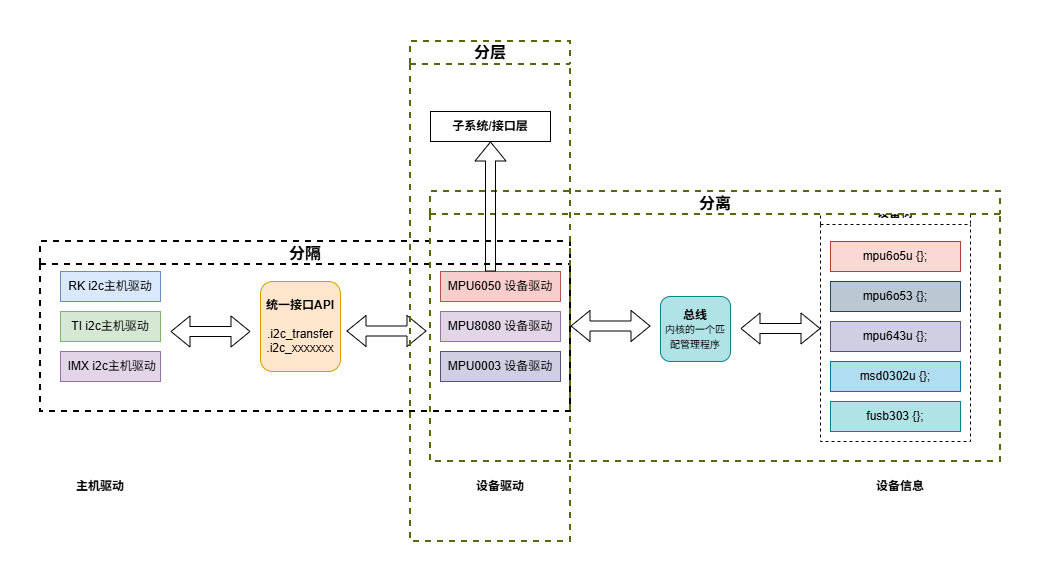
linux驱动的三大设计思想 分隔,分离,分层
分隔
这个主要说的是主机驱动 和设备驱动 的分开。
比如soc内部有外设资源:i2c, uart, 但是这些是通信接口资源,是要外接设备的。
所以为了考虑到移植性 (因为不同soc的i2c控制器,uart控制器他们的使用也不一样,但是接的设备几乎用法都差不多,比如mpu6050)。那么他就相当于给这些通信总线的主机控制器驱动做了一层封装 ,就是中间统一API
比如i2c来说,芯片原厂 的工程师主要根据自家SOC的说明手册来编写i2c的主机驱动(i2c的寄存器操作) ,然后全部封装成i2c_send_ack, i2c_xxx。
然后经过一个统一的API (得到统一的api:i2c_read, i2c_write)
设备厂商的工程师 ,就无需关心soc的i2c的寄存器了,只需要直到这个统一的api,然后用这些统一的api来编写设备驱动,实现(mpu_read, mpu_write)。
就是「总线适配器 ↔ 设备驱动」分离
主机 / 适配器驱动(芯片原厂写 操作 SOC 内部 I2C/UART/SPI 控制器寄存器,实现总线时序。向上封装成统一接口:
I2C:i2c_master_send / i2c_master_recv
SPI:spi_sync 等
设备驱动(设备厂商写 ,不关心 SOC 控制器寄存器,只调用总线统一 API 操作外设(MPU6050、OLED 等)。
分离 分离说的是设备驱动 和设备信息 的分离:
设备驱动要专注于抽象的操作,不能有具体的地址,gpio编号细节,所有的具体设备信息单独存放,结果就放在设备树里面。
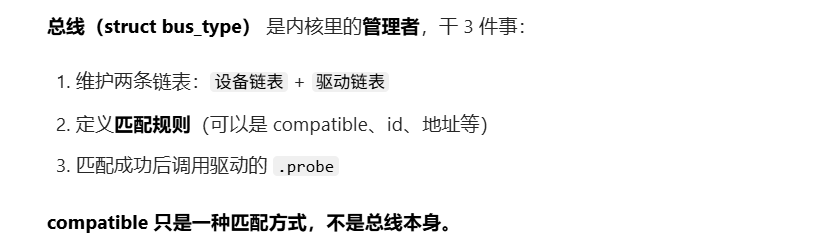
他们之间的匹配,依赖一个叫总线 的东西:总线是一个linux内核里面的负责管理匹配的程序块 , 具体说,就是platform_bus这个类对象,他有一系列方法,以及维护了两个表 :platform_device表, platform_driver表
当系统启动时,这个总线对象,检查设备驱动和设备信息之间发生匹配时,就执行probe方法,启动这个设备驱动。
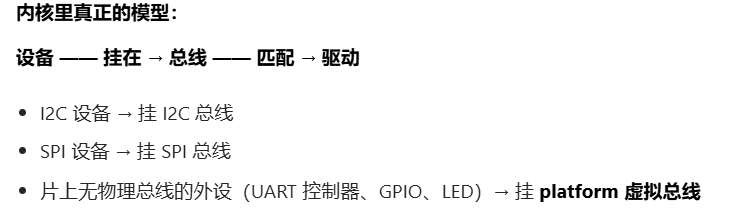
这里先剧透以下,linux内核里面的真正模型:
分层 Linux 驱动标准四层模型
硬件层 :寄存器、时序、电平(控制器驱动)总线层 :I2C/SPI/Platform 核心(统一接口 、匹配、管理)设备驱动层 :MPU6050、按键、LED(业务逻辑)子系统 / 接口层 :input、tty、fb、字符设备(给用户态统一入口)
举 input 子系统例子 (你最容易理解)
设备驱动 :只上报 原始按键值input 子系统 :封装成统一 input_event用户态 :/dev/input/eventX 读标准事件
分层 = 职责拆分,每一层只干自己的事,不越界。不是 “字节流转中文”,这种算是业务逻辑,应当放到用户态。
我们前面讲了分离,分隔,分层的驱动思想,本质上还是涉及3个东西:驱动,总线,设备 三大模型
linux就为此,实现了这3个概念 (类对象):
platform_bus platform_device platform_driver
下面具体分析这三个的作用,理清楚他们的定义:
总线的定义 之前我一直以为,总线就是一排物理连线,但这有点偏差
总线 是指:一束线,他们遵循具体的通信协议,进行通信 。
所以这里就可以做一个区分了:
SOC内部的片上互连架构 (外设地址总线AHB,APB这些)
确实是物理连线 ,但是驱动模型里面不认为是驱动模型里的总线 没有统一的外设挂载协议 ,也无法动态增减外设 都是独占资源
所以他们是实际的总线,但不是我们在驱动模型下讨论的总线 ,因为没有通信协议
SOC外部的通信总线(i2c, spi)
驱动模型的视角 :是标准的物理总线 ,遵循独立的通信协议。
驱动模型定义 :这类外接的、遵循标准通信协议的外设,就是“有物理总线的设备”。
所以,我们在linux内核驱动模型里面讨论的总线 ,是指的有通信协议的 ,比如:
而对于片内 这些cortex内核连接i2c控制器,spi控制器,gpio控制器。这些没有总线,但为了统一,我们把他称为虚拟总线 ,也叫做platform总线
所以platform ,直译就是平台 ,也就是SOC内 ,片内 的总线,因为是虚拟的,所以platform也对应虚拟 。
那对应的platform_bus就是片内的虚拟总线 ,platform_device就是指的片内的i2c控制器这些soc片内外设 。platform_driver就是指的主机驱动
下面给出具体定义 :
platform_bus虚拟总线 (struct bus_type)给谁用?
没有物理总线 的片内 设备:
SOC 内部控制器(I2C 控制器、UART 控制器)
简单 GPIO 设备(LED、KEY)
对于led,key这些也没有接到实际总线上的,我们为了方便,也挂载虚拟总线上,因为他们跟片内gpio没什么区别
platform_deviceplatform_driver
mpu6050这些该叫什么设备 既然platform是指的片内的。
那么实际的i2c总线,spi总线这些总线上面挂载的设备,如MPU6050,该叫什么设备 ,在内核驱动里面,该用什么来表示 ?肯定不可能是platform_device.
答案 :
假设mpu6050挂载在i2c总线上 ,那么他就是I2C设备 :
设备结构体 :struct i2c_client驱动结构体 :struct i2c_driver管理总线 :i2c_bus(不是 platform_bus )
关系梳理
SOC 内部 I2C 控制器
platform_device由 platform_driver 驱动(芯片原厂写)
I2C 总线 被注册好后
MPU6050
挂在 i2c1 节点下(DTS 子节点)
生成 i2c_client
匹配 i2c_driver
走 I2C 总线,不是 platform
platform 不是 “整个 SOC” ,而是SOC 内部 “无独立片外通信总线的外设”
在 DTS 里,对应SOC 节点下 (或根节点直接下 )的片内外设节点 。
/ { soc { #address-cells = <1> ; #size-cells = <1> ; compatible = "fsl,imx6ul-soc" ; i2c1: i2c@021 a0000 { compatible = "fsl,imx6ul-i2c" ; reg = <0x021a0000 0x4000 >; mpu6050@68 { compatible = "invensense,mpu6050" ; reg = <0x68 >; }; }; led@020 ac000 { compatible = "mydev,led" ; reg = <0x020ac000 0x4 >; }; }; };
具体实现 platform_bus就是一个bus_type类型的全局变量
struct bus_type定义在include/linux/device.h,
struct bus_type { const char *name; const char *dev_name; struct device *dev_root ; struct device_attribute *dev_attrs ; const struct attribute_group **bus_groups ; const struct attribute_group **dev_groups ; const struct attribute_group **drv_groups ; int (*match)(struct device *dev, struct device_driver *drv); int (*uevent)(struct device *dev, struct kobj_uevent_env *env); int (*probe)(struct device *dev); int (*remove)(struct device *dev); void (*shutdown)(struct device *dev); int (*online)(struct device *dev); int (*offline)(struct device *dev); int (*suspend)(struct device *dev, pm_message_t state); int (*resume)(struct device *dev); const struct dev_pm_ops *pm ; const struct iommu_ops *iommu_ops ; struct subsys_private *p ; struct lock_class_key lock_key ; };
match 函数 ,此函数很重要,单词 match 的意思就是“匹配、相配 ”,因此此函数就是完成设备 和驱动 之间匹配的
总线就是使用 match 函数 来根据注册的设备来查找对应的驱动,或者根据注册的驱动来查找相应的设备,因此每一条总线都必须实现此函数 。
match 函数有两个参数 :dev 和 drv,这两个参数分别为 device 和 device_driver 类型,也就是设备和驱动。
platform 总线是 bus_type 的一个具体实例 , 定义在drivers/base/platform.c
struct bus_type platform_bus_type = .name = "platform" , .dev_groups = platform_dev_groups, .match = platform_match, .uevent = platform_uevent, .pm = &platform_dev_pm_ops, };
其中,最重要的.match指向platform_uevent. 定义在drivers/base/platform.c
static int platform_match (struct device *dev, struct device_driver *drv) { struct platform_device *pdev = struct platform_driver *pdrv = if (pdev->driver_override) return !strcmp (pdev->driver_override, drv->name); if (of_driver_match_device(dev, drv)) return 1 ; if (acpi_driver_match_device(dev, drv)) return 1 ; if (pdrv->id_table) return platform_match_id(pdrv->id_table, pdev) != NULL ; return (strcmp (pdev->name, drv->name) == 0 ); }
.match里面就是platform 总线驱动与设备的四种匹配方式 :
OF 类型匹配(设备树方式)
核心函数:of_driver_match_device
匹配逻辑:驱动的 of_match_table 与设备树节点的 compatible 属性进行比对,一致则匹配成功。
ACPI 匹配方式
核心函数:acpi_driver_match_device
匹配逻辑:通过 ACPI 相关机制进行设备与驱动的匹配。
id_table 匹配
核心函数:platform_match_id
匹配逻辑:驱动的 id_table 成员中保存了支持的设备 ID 列表,与设备 ID 进行比对。
name 字段匹配(兜底方式)
匹配逻辑:直接比较驱动和设备的 name 字段,相等则匹配成功,是最常用、最简单的方式。
platform_driverplatform 驱动 , 定义在include/linux/platform_device.h
struct platform_driver { int (*probe)(struct platform_device *); int (*remove)(struct platform_device *); void (*shutdown)(struct platform_device *); int (*suspend)(struct platform_device *, pm_message_t state); int (*resume)(struct platform_device *); struct device_driver driver ; const struct platform_device_id *id_table ; bool prevent_deferred_probe; };
driver:继承自device_driver基类,提供基础驱动框架 。probe:驱动的核心入口,具体驱动逻辑在此实现。id_table:用于无设备树时的 ID 匹配。
一个platform_driver的对象,就是一个platform框架内的驱动模块程序 , 所以包含probe(init), remove(exit)等
既然一个platform_driver, 继承基类 device_driver
下面看看这个基类的定义device_driver
struct device_driver { const char *name; struct bus_type *bus ; struct module *owner ; const char *mod_name; const struct of_device_id *of_match_table ; const struct acpi_device_id *acpi_match_table ; int (*probe) (struct device *dev); int (*remove) (struct device *dev); };
of_match_table:设备树匹配表 ,与设备节点的compatible属性匹配。
所以device_driver就是一个最原始的驱动基类,里面自然包含了compatible的匹配表
而这个驱动匹配表of_match_table 的类型是 of_device_id
struct of_device_id { char name[32 ]; char type[32 ]; char compatible[128 ]; const void *data; };
而platform总线的另一种匹配方式(第三种匹配方式)需要使用id_table , 是platform_device_id类型
struct platform_device_id {
    char name[PLATFORM_NAME_SIZE];
    kernel_ulong_t driver_data;
};
在编写 platform 驱动 的时候,:
首先定义一个 platform_driver 结构体变量 ,
然后实现结构体中的各个成员变量
当驱动和设备匹配成功 以后 probe函数 就会执行
具体的驱动程序在 probe 函数里面编写,比如字符设备驱动等等。
probe代替了原来的xxx_init,作为驱动程序的实际入口函数
原来的xxx_init入口函数仅注册platform驱动
remove代替了原来的xxx_exit, 作为驱动程序的实际出口函数
原来的xxx_exit入口函数仅注销platform驱动
当我们定义好了一个platform_driver变量,需要在驱动入口函数 里面调用platform_driver_register 函数向 Linux 内核注册一个 platform 驱动
还需要在驱动卸载函数中通过 platform_driver_unregister 函数卸载 platform 驱动
struct xxx_dev { struct cdev cdev ; }; struct xxx_dev xxxdev ;static int xxx_open (struct inode *inode, struct file *filp) { return 0 ; } static ssize_t xxx_write (struct file *filp, const char __user *buf, size_t cnt, loff_t *offt) { return 0 ; } static struct file_operations xxx_fops = .owner = THIS_MODULE, .open = xxx_open, .write = xxx_write, }; static int xxx_probe (struct platform_device *dev) { ...... cdev_init(&xxxdev.cdev, &xxx_fops); return 0 ; } static int xxx_remove (struct platform_device *dev) { ...... cdev_del(&xxxdev.cdev); return 0 ; } static const struct of_device_id xxx_of_match [] = { .compatible = "xxx-gpio" }, { } }; static struct platform_driver xxx_driver = .driver = { .name = "xxx" , .of_match_table = xxx_of_match, }, .probe = xxx_probe, .remove = xxx_remove, }; static int __init xxxdriver_init (void ) { return platform_driver_register(&xxx_driver); } static void __exit xxxdriver_exit (void ) { platform_driver_unregister(&xxx_driver); } module_init(xxxdriver_init); module_exit(xxxdriver_exit); MODULE_LICENSE("GPL" ); MODULE_AUTHOR("zuozhongkai" );
可以看到,目前编写驱动本质上,和之前写的驱动没什么区别,都可以总结为:
总结以下platform驱动的编写步骤:
module_init/exit 指定入口函数,出口函数
xxx_init/exit 直接注册/注销 xxx_driver (platform_driver变量) xxx_driver内部定义
.驱动本身相关信息
驱动名称
of_match_table, OF匹配表
.platform驱动入口函数probe
.platform驱动出口函数remove
可以看到仅仅只是增加了上边的部分,下边的部分和原来的驱动编写,没有什么区别
入口函数probe具体实现
出口函数remove具体实现
释放设备结构体相关资源
删除内核设备工作
注销设备节点
注销设备
… (使用 iounmap 释放内存、删除 cdev,注销设备号等等
具体可以看一下前面编写驱动的步骤)
注意:
所谓的 platform 驱动 并不是独立于 字符设备驱动、块设备驱动和网络设备驱动之外的其他种类的驱动。
platform 只是为了驱动的分离与分层 而提出来的一种框架 ,其驱动的具体实现还是需要字符设备驱动、块设备驱动或网络设备驱动
其中name 属性 用于传统的驱动与设备匹配 ,也就是检查驱动和设备的 name 字段是不是相同。
of_match_table 属性 就是用于设备树下的驱动与设备检查 。
对于一个完整的驱动程序,必须提供有设备树和无设备树两种匹配方法
总结 总体来说,platform 驱动 还是传统的字符设备驱动、块设备驱动或网络设备驱动,只是套上了一张“platform”的皮 ,目的是为了使用 总线、驱动和设备这个驱动模型 来实现驱动的分离与分层。
platform 设备
若内核使用设备树 来描述设备,会为我们自动创建platform_device对象, 无需我们手动编写
若内核没有使用设备树 ,需要我们自己编写platform_device对象的文件 ,来描述设备的设备信息
platform_device 结构体定义在文件include/linux/platform_device.h 中
struct platform_device { const char *name; int id; bool id_auto; struct device dev ; u32 num_resources; struct resource *resource ; const struct platform_device_id *id_entry ; char *driver_override; struct mfd_cell *mfd_cell ; struct pdev_archdata archdata ; };
其中,resource就是设备信息,具体类型定义如下:
struct resource { resource_size_t start; resource_size_t end; const char *name; unsigned long flags; struct resource *parent , *sibling , *child ; };
关于可选的资源的类型,在include/linux/ioport.h中定义
#define IORESOURCE_BITS 0x000000ff #define IORESOURCE_TYPE_BITS 0x00001f00 #define IORESOURCE_IO 0x00000100 #define IORESOURCE_MEM 0x00000200 #define IORESOURCE_REG 0x00000300 #define IORESOURCE_IRQ 0x00000400 #define IORESOURCE_DMA 0x00000800 #define IORESOURCE_BUS 0x00001000 #define IORESOURCE_PCI_FIXED (1<<4)
在以前不支持设备树的Linux版本中 ,用户需要编写platform_device变量来描述设备信息,然后使用 platform_device_register 函数设备信息注册到 Linux 内核中
如果不再使用 platform_device 的话可以通过 platform_device_unregister 函数注销掉相应的 platform设备
#define PERIPH1_REGISTER_BASE (0x20000000) #define PERIPH2_REGISTER_BASE (0x020E0068) #define REGISTER_LENGTH 4 static struct resource xxx_resources [] = [0 ] = { .start = PERIPH1_REGISTER_BASE, .end = (PERIPH1_REGISTER_BASE + REGISTER_LENGTH - 1 ), .flags = IORESOURCE_MEM, }, [1 ] = { .start = PERIPH2_REGISTER_BASE, .end = (PERIPH2_REGISTER_BASE + REGISTER_LENGTH - 1 ), .flags = IORESOURCE_MEM, }, }; static struct platform_device xxxdevice = .name = "xxx-gpio" , .id = -1 , .num_resources = ARRAY_SIZE(xxx_resources), .resource = xxx_resources, }; static int __init xxxdevice_init (void ) { return platform_device_register(&xxxdevice); } static void __exit xxx_resourcesdevice_exit (void ) { platform_device_unregister(&xxxdevice); } module_init(xxxdevice_init); module_exit(xxx_resourcesdevice_exit); MODULE_LICENSE("GPL" ); MODULE_AUTHOR("zuozhongkai" );
可以看到,xxx_init, xxx_init , 只是代表这个模块的入口出口 。至于后面接的是驱动还是设备,就看你在模块入口里面干什么了
主要是在不支持设备树的 Linux 版本 中使用的,
当 Linux 内核支持了设备树以后就不需要用户手动去注册 platform 设备 了。
因为设备信息都放到了设备树中去描述,Linux 内核启动的时候会从设备树中读取设备信息,然后将其组织成 platform_device 形式
无论是驱动,还是设备,都是以模块形式加载的
my_platform_device.c
#include <linux/types.h> #include <linux/kernel.h> #include <linux/delay.h> #include <linux/ide.h> #include <linux/init.h> #include <linux/module.h> #include <linux/errno.h> #include <linux/cdev.h> #include <linux/device.h> #include <linux/platform_device.h> #define CCM_CCGR1_BASE (0X020C406C) #define SW_MUX_GPIO1_IO03_BASE (0X020E0068) #define SW_PAD_GPIO1_IO03_BASE (0X020E02F4) #define GPIO1_DR_BASE (0X0209C000) #define GPIO1_GDIR_BASE (0X0209C004) #define REGISTER_LENGTH 4 static void led_release (struct device *dev) { printk("led device released!\r\n" ); } static struct resource led_resources [] = [0 ] = { .start = CCM_CCGR1_BASE, .end = (CCM_CCGR1_BASE + REGISTER_LENGTH - 1 ), .flags = IORESOURCE_MEM, }, [1 ] = { .start = SW_MUX_GPIO1_IO03_BASE, .end = (SW_MUX_GPIO1_IO03_BASE + REGISTER_LENGTH - 1 ), .flags = IORESOURCE_MEM, }, [2 ] = { .start = SW_PAD_GPIO1_IO03_BASE, .end = (SW_PAD_GPIO1_IO03_BASE + REGISTER_LENGTH - 1 ), .flags = IORESOURCE_MEM, }, [3 ] = { .start = GPIO1_DR_BASE, .end = (GPIO1_DR_BASE + REGISTER_LENGTH - 1 ), .flags = IORESOURCE_MEM, }, [4 ] = { .start = GPIO1_GDIR_BASE, .end = (GPIO1_GDIR_BASE + REGISTER_LENGTH - 1 ), .flags = IORESOURCE_MEM, }, }; static struct platform_device leddevice = .name = "imx6ul-led" , .id = -1 , .dev = { .release = &led_release, }, .num_resources = ARRAY_SIZE(led_resources), .resource = led_resources, }; static int __init leddevice_init (void ) { return platform_device_register(&leddevice); } static void __exit leddevice_exit (void ) { platform_device_unregister(&leddevice); } module_init(leddevice_init); module_exit(leddevice_exit); MODULE_LICENSE("GPL" ); MODULE_AUTHOR("liangji" );
my_platform_driver.c
#include <linux/types.h> #include <linux/kernel.h> #include <linux/delay.h> #include <linux/ide.h> #include <linux/init.h> #include <linux/module.h> #include <linux/errno.h> #include <linux/cdev.h> #include <linux/device.h> #include <linux/platform_device.h> #define LEDDEV_CNT 1 #define LEDDEV_NAME "platled" #define LEDOFF 0 #define LEDON 1 static void __iomem *IMX6U_CCM_CCGR1;static void __iomem *SW_MUX_GPIO1_IO03;static void __iomem *SW_PAD_GPIO1_IO03;static void __iomem *GPIO1_DR;static void __iomem *GPIO1_GDIR;struct leddev_dev { dev_t devid; struct cdev cdev ; struct class *class ; struct device *device ; int major; } leddev; void led0_switch (u8 sta) { u32 val = 0 ; if (sta == LEDON){ val = readl(GPIO1_DR); val &= ~(1 << 3 ); writel(val, GPIO1_DR); }else if (sta == LEDOFF){ val = readl(GPIO1_DR); val|= (1 << 3 ); writel(val, GPIO1_DR); } } static int led_open (struct inode *inode, struct file *filp) { filp->private_data = &leddev; return 0 ; } static ssize_t led_write (struct file *filp, const char __user *buf, size_t cnt, loff_t *offt) { int retvalue; unsigned char databuf[1 ]; unsigned char ledstat; retvalue = copy_from_user(databuf, buf, cnt); if (retvalue < 0 ) { return -EFAULT; } ledstat = databuf[0 ]; if (ledstat == LEDON) { led0_switch(LEDON); }else if (ledstat == LEDOFF) { led0_switch(LEDOFF); } return 0 ; } static struct file_operations led_fops = .owner = THIS_MODULE, .open = led_open, .write = led_write, }; static int led_probe (struct platform_device *dev) { int i = 0 ; int ressize[5 ]; u32 val = 0 ; struct resource *ledsource [5]; printk("led driver and device has matched!\r\n" ); for (i = 0 ; i < 5 ; i++) { ledsource[i] = platform_get_resource(dev, IORESOURCE_MEM, i); if (!ledsource[i]) { dev_err(&dev->dev, "No MEM resource for always on\n" ); return -ENXIO; } ressize[i] = resource_size(ledsource[i]); } IMX6U_CCM_CCGR1 = ioremap(ledsource[0 ]->start, ressize[0 ]); SW_MUX_GPIO1_IO03 = ioremap(ledsource[1 ]->start, ressize[1 ]); SW_PAD_GPIO1_IO03 = ioremap(ledsource[2 ]->start, ressize[2 ]); GPIO1_DR = ioremap(ledsource[3 ]->start, ressize[3 ]); GPIO1_GDIR = ioremap(ledsource[4 ]->start, ressize[4 ]); val = readl(IMX6U_CCM_CCGR1); val &= ~(3 << 26 ); val |= (3 << 26 ); writel(val, IMX6U_CCM_CCGR1); writel(5 , SW_MUX_GPIO1_IO03); writel(0x10B0 , SW_PAD_GPIO1_IO03); val = readl(GPIO1_GDIR); val &= ~(1 << 3 ); val |= (1 << 3 ); writel(val, GPIO1_GDIR); val = readl(GPIO1_DR); val |= (1 << 3 ) ; writel(val, GPIO1_DR); if (leddev.major) { leddev.devid = MKDEV(leddev.major, 0 ); register_chrdev_region(leddev.devid, LEDDEV_CNT, LEDDEV_NAME); } else { alloc_chrdev_region(&leddev.devid, 0 , LEDDEV_CNT, LEDDEV_NAME); leddev.major = MAJOR(leddev.devid); } leddev.cdev.owner = THIS_MODULE; cdev_init(&leddev.cdev, &led_fops); cdev_add(&leddev.cdev, leddev.devid, LEDDEV_CNT); leddev.class = class_create(THIS_MODULE, LEDDEV_NAME); if (IS_ERR(leddev.class)) { return PTR_ERR(leddev.class); } leddev.device = device_create(leddev.class, NULL , leddev.devid, NULL , LEDDEV_NAME); if (IS_ERR(leddev.device)) { return PTR_ERR(leddev.device); } return 0 ; } static int led_remove (struct platform_device *dev) { iounmap(IMX6U_CCM_CCGR1); iounmap(SW_MUX_GPIO1_IO03); iounmap(SW_PAD_GPIO1_IO03); iounmap(GPIO1_DR); iounmap(GPIO1_GDIR); cdev_del(&leddev.cdev); unregister_chrdev_region(leddev.devid, LEDDEV_CNT); device_destroy(leddev.class, leddev.devid); class_destroy(leddev.class); return 0 ; } static struct platform_driver led_driver = .driver = { .name = "imx6ul-led" , }, .probe = led_probe, .remove = led_remove, }; static int __init leddriver_init (void ) { return platform_driver_register(&led_driver); } static void __exit leddriver_exit (void ) { platform_driver_unregister(&led_driver); } module_init(leddriver_init); module_exit(leddriver_exit); MODULE_LICENSE("GPL" ); MODULE_AUTHOR("liangji" );
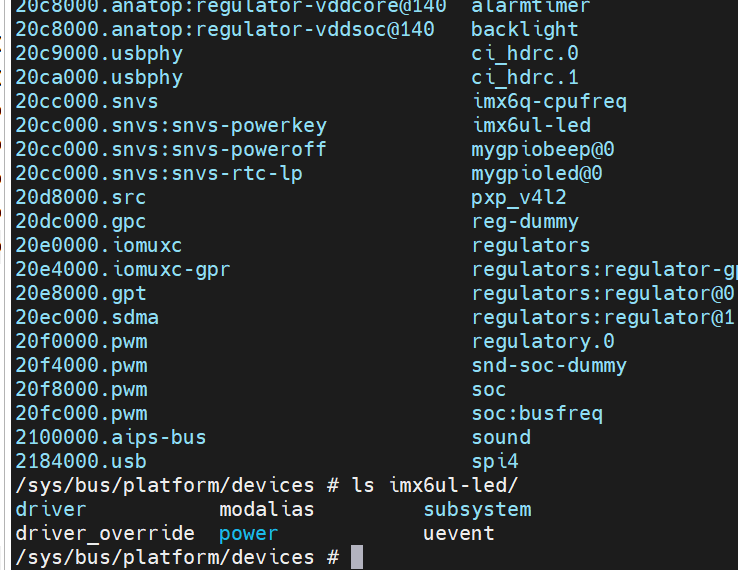
当我们最终insmod模块后。
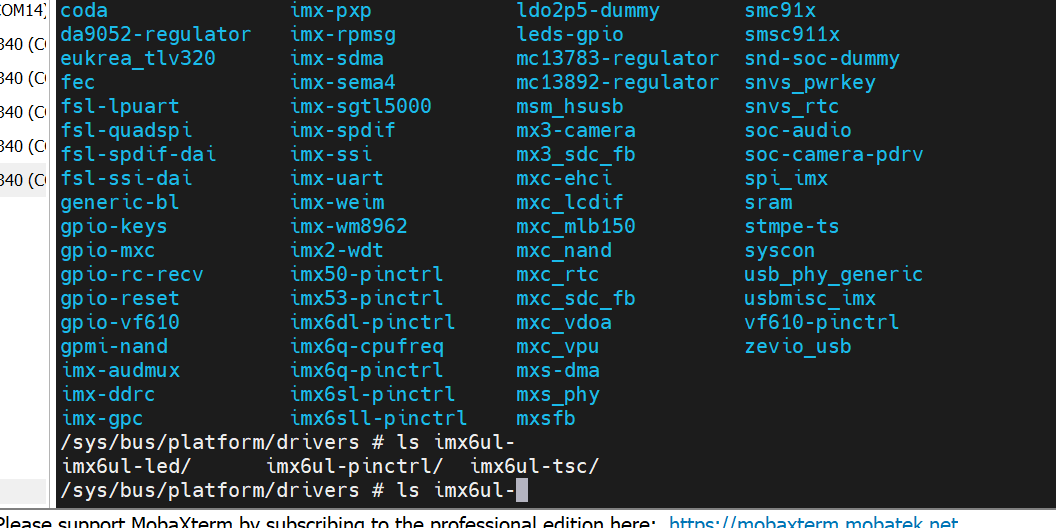
在/sys/bus/platform/下可以查看当前platform框架下的驱动,还有设备(因为我们已经分离了)
platform虚拟总线上的设备 ,可以看到,有我自己在根节点上的mygpiobeep, soc组
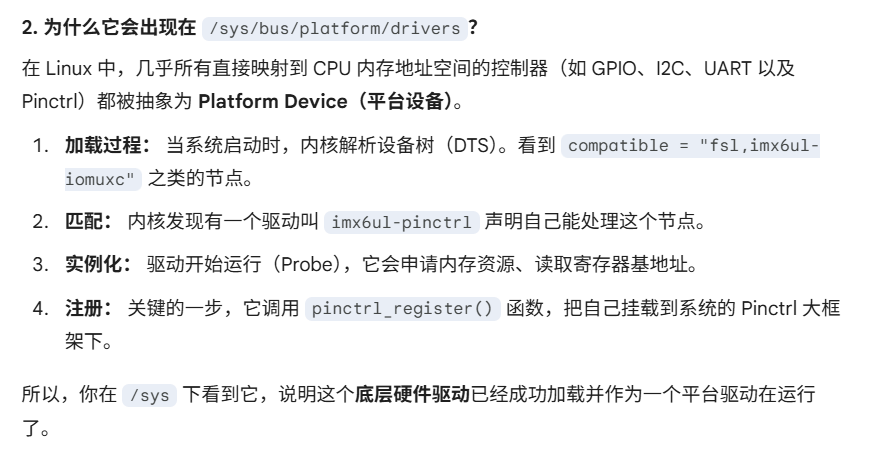
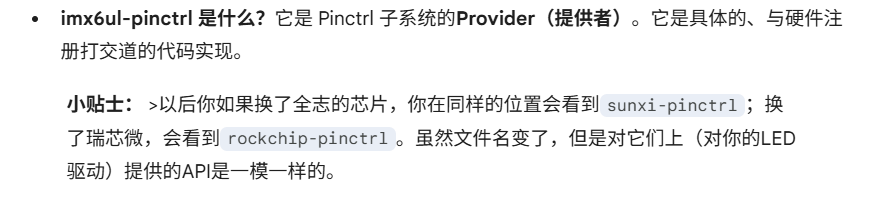
platform虚拟总线上的驱动 ,可以看到,有我们自己加载进去的驱动。另外也能看到有imx6ul-pinctrl的驱动。
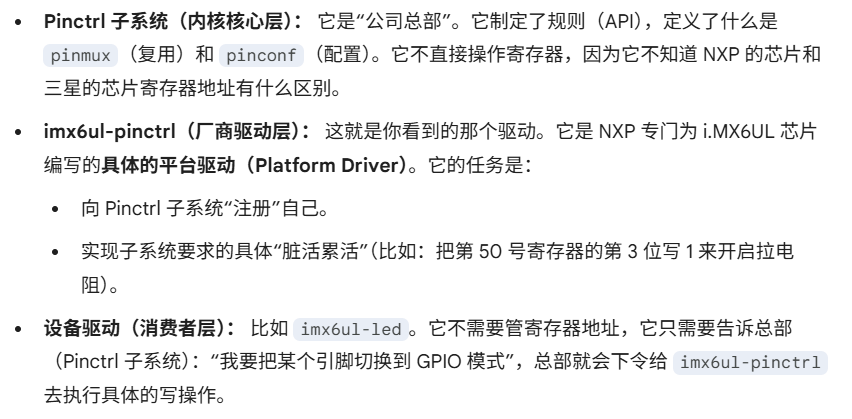
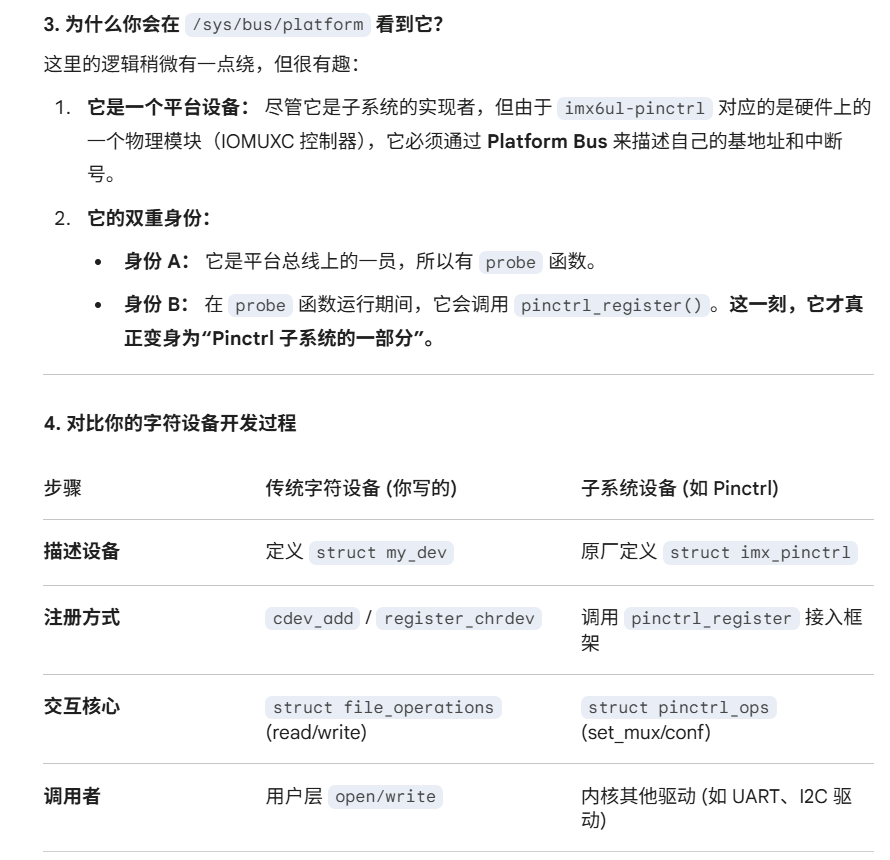
我们在这里也看到platform下的driver,有一个imx6ul-pinctrl, 这就是linux驱动的分离的思想的体现:
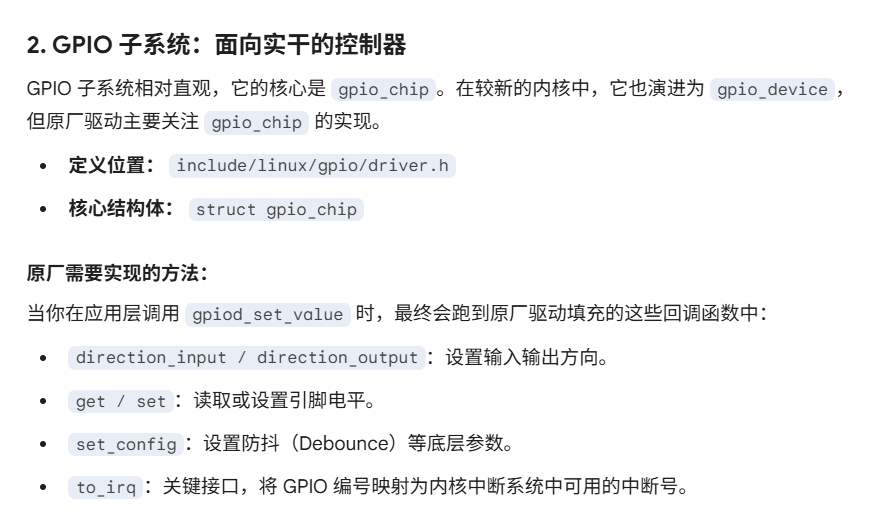
pinctrl子系统,gpio子系统
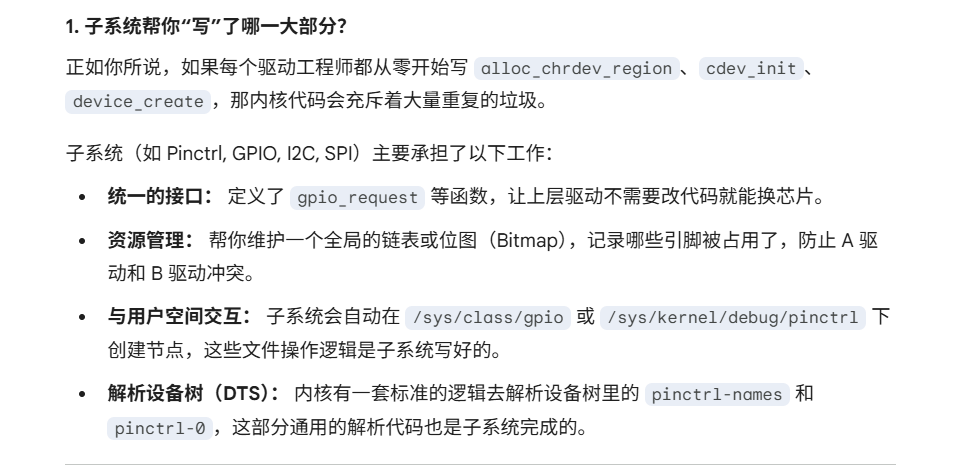
所以,我们平常自己写一个驱动,都是创建一个设备结构体来描述设备,然后弄一整套申请设备号,注册字符设备,然后实现各种字符设备操作函数等等。
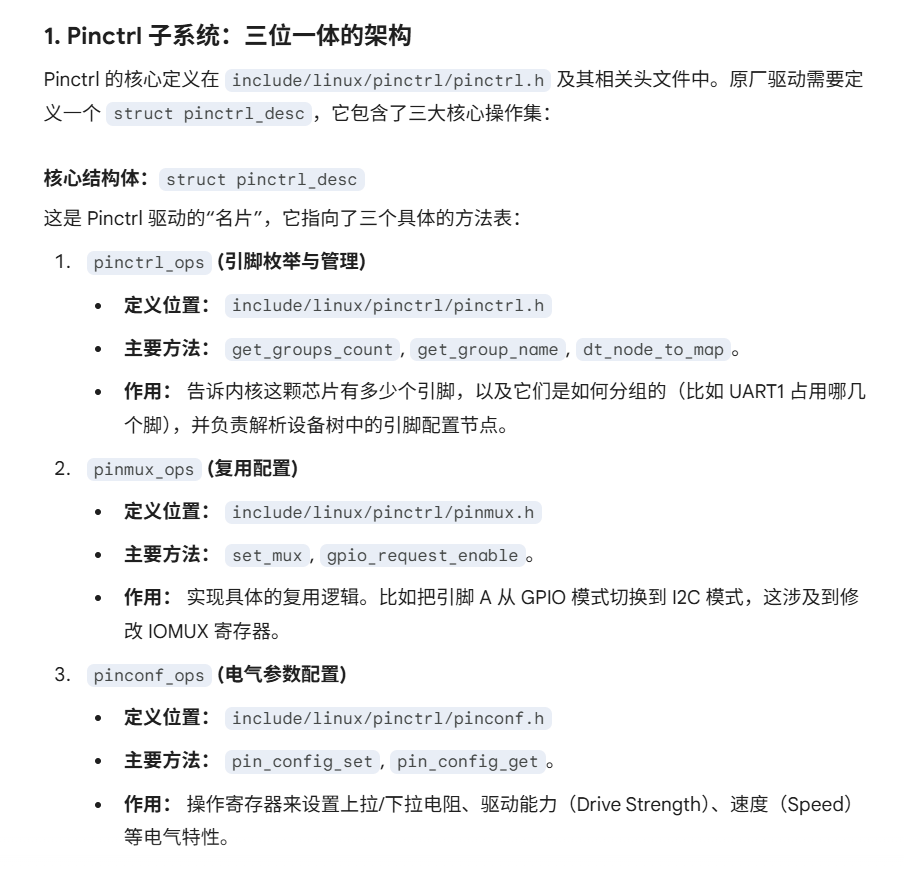
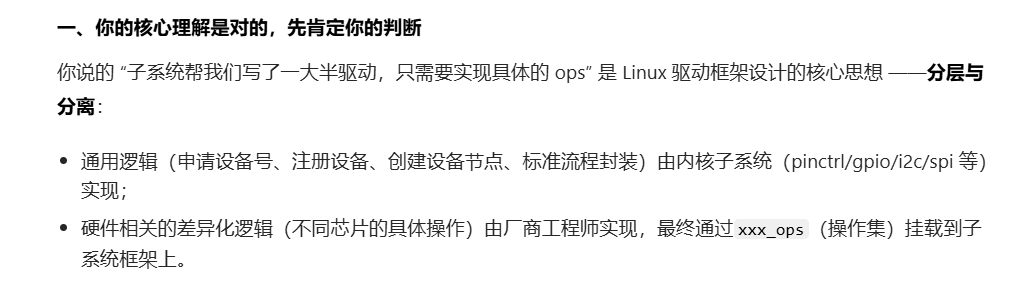
像这种子系统,比如pinctrl子系统,就是因为pinctrl的操作,gpio的操作,都太过于标准,所以这些子系统就相当于写了一大半的驱动。比如里面已经定义了一个pinctrl_desc的对象,然后完成好了申请设备号,注册设备,创建设备节点这些工作,只不过,具体的设备操作函数pinctrl_ops还没实现,需要原厂的工程师,根据他们自己的平台,去实现这些ops。是吗
如果换成设备树形式后,无需再编写platform_device了。在dts中描述设备即可。
注意把compatible改成一致
因为我们都用设备树了,也就没必要像上面那样自己映射寄存器来写控制寄存器,可以直接借用pinctrl子系统(直接在dts中配置生效,无相关api提供)和gpio相关子系统的相关apimy_platform_dts_driver.c
#include <linux/types.h> #include <linux/kernel.h> #include <linux/delay.h> #include <linux/ide.h> #include <linux/init.h> #include <linux/module.h> #include <linux/errno.h> #include <linux/gpio.h> #include <linux/cdev.h> #include <linux/device.h> #include <linux/of_gpio.h> #include <linux/semaphore.h> #include <linux/timer.h> #include <linux/irq.h> #include <linux/wait.h> #include <linux/poll.h> #include <linux/fs.h> #include <linux/fcntl.h> #include <linux/platform_device.h> #include <asm/mach/map.h> #include <asm/uaccess.h> #include <asm/io.h> #define LEDDEV_CNT 1 #define LEDDEV_NAME "dtsplatled" #define LEDOFF 0 #define LEDON 1 struct leddev_dev { dev_t devid; struct cdev cdev ; struct class *class ; struct device *device ; int major; struct device_node *node ; int led0; }; struct leddev_dev leddev ;void led0_switch (u8 sta) { if (sta == LEDON ) gpio_set_value(leddev.led0, 0 ); else if (sta == LEDOFF) gpio_set_value(leddev.led0, 1 ); } static int led_open (struct inode *inode, struct file *filp) { filp->private_data = &leddev; return 0 ; } static ssize_t led_write (struct file *filp, const char __user *buf, size_t cnt, loff_t *offt) { int retvalue; unsigned char databuf[2 ]; unsigned char ledstat; retvalue = copy_from_user(databuf, buf, cnt); if (retvalue < 0 ) { printk("kernel write failed!\r\n" ); return -EFAULT; } ledstat = databuf[0 ]; if (ledstat == LEDON) { led0_switch(LEDON); } else if (ledstat == LEDOFF) { led0_switch(LEDOFF); } return 0 ; } static struct file_operations led_fops = .owner = THIS_MODULE, .open = led_open, .write = led_write, }; static int led_probe (struct platform_device *dev) { printk("led driver and device was matched!\r\n" ); if (leddev.major) { leddev.devid = MKDEV(leddev.major, 0 ); register_chrdev_region(leddev.devid, LEDDEV_CNT, LEDDEV_NAME); } else { alloc_chrdev_region(&leddev.devid, 0 , LEDDEV_CNT, LEDDEV_NAME); leddev.major = MAJOR(leddev.devid); } cdev_init(&leddev.cdev, &led_fops); cdev_add(&leddev.cdev, leddev.devid, LEDDEV_CNT); leddev.class = class_create(THIS_MODULE, LEDDEV_NAME); if (IS_ERR(leddev.class)) { return PTR_ERR(leddev.class); } leddev.device = device_create(leddev.class, NULL , leddev.devid, NULL , LEDDEV_NAME); if (IS_ERR(leddev.device)) { return PTR_ERR(leddev.device); } leddev.node = of_find_node_by_path("/mygpioled@0" ); if (leddev.node == NULL ){ printk("gpioled node nost find!\r\n" ); return -EINVAL; } leddev.led0 = of_get_named_gpio(leddev.node, "led-gpio" , 0 ); if (leddev.led0 < 0 ) { printk("can't get led-gpio\r\n" ); return -EINVAL; } gpio_request(leddev.led0, "led0" ); gpio_direction_output(leddev.led0, 1 ); return 0 ; } static int led_remove (struct platform_device *dev) { gpio_set_value(leddev.led0, 1 ); gpio_free(leddev.led0); cdev_del(&leddev.cdev); unregister_chrdev_region(leddev.devid, LEDDEV_CNT); device_destroy(leddev.class, leddev.devid); class_destroy(leddev.class); return 0 ; } static const struct of_device_id led_of_match [] = { .compatible = "led-of-match-table-gpio" }, { } }; static struct platform_driver led_driver = .driver = { .name = "imx6ul-led" , .of_match_table = led_of_match, }, .probe = led_probe, .remove = led_remove, }; static int __init leddriver_init (void ) { return platform_driver_register(&led_driver); } static void __exit leddriver_exit (void ) { platform_driver_unregister(&led_driver); } module_init(leddriver_init); module_exit(leddriver_exit); MODULE_LICENSE("GPL" ); MODULE_AUTHOR("zuozhongkai" );
学习linux内核编写二级设备驱动 linux内核自带的led设备驱动 前面我们都是自己通过编写一个led的设备结构体,然后为他编写platform_driver驱动。
在menuconfig里面使能这个CONFIG_LED_GPIO这个编译选项之后
linux内核自带的led驱动代码在drivers/led/led-gpio.c,这个就相当于内核写好的一个二级设备驱动 ,这就非常值得学习了,看别人是怎么写驱动的,是怎么描述设备的。
这里主要是学习如何利用linux内核自带的驱动,我们在他的逻辑下编写对应的设备节点,来使用他
一般都可以在Document/devicetree/bindings/leds/下能够看到一些教你如何编写对应的设备节点的txt